Controlled corruption, from a flicker to full zalgo
Glitch Text Generator
Corrupt your text on purpose. This glitch text generator stacks combining marks over each letter to produce anything from a faint flicker to full zalgo, plus digital styles built from static blocks and broken frames. Pick a glitch level, then copy the corrupted result straight into a post, name or bio.
Glitch Text Copy and Paste
Glitch text is not an image or an animation. Each character keeps its normal letter underneath and gains combining marks stacked above, through and below it, which is why the corruption survives copy and paste. Because the marks are real characters, a glitched string is longer than it looks — a ten-letter word at heavy intensity carries around a hundred characters, which matters where there is a length limit.
Popular Glitch Text Styles
Zalgo is the headline effect and the reason most people arrive here, but it is not the only way to look corrupted. Strikethrough and slashed text suggest redaction or a broken record. Monospace with static blocks reads as a terminal losing signal. Full-width letters with signal bars borrow the look of a failing display. Choose based on what kind of failure you are imitating: organic decay, digital dropout or censored text.
SYSTEM ERRORClassic glitch lineNO SIGNALStatus or bio lineACCESS DENIEDGaming profile text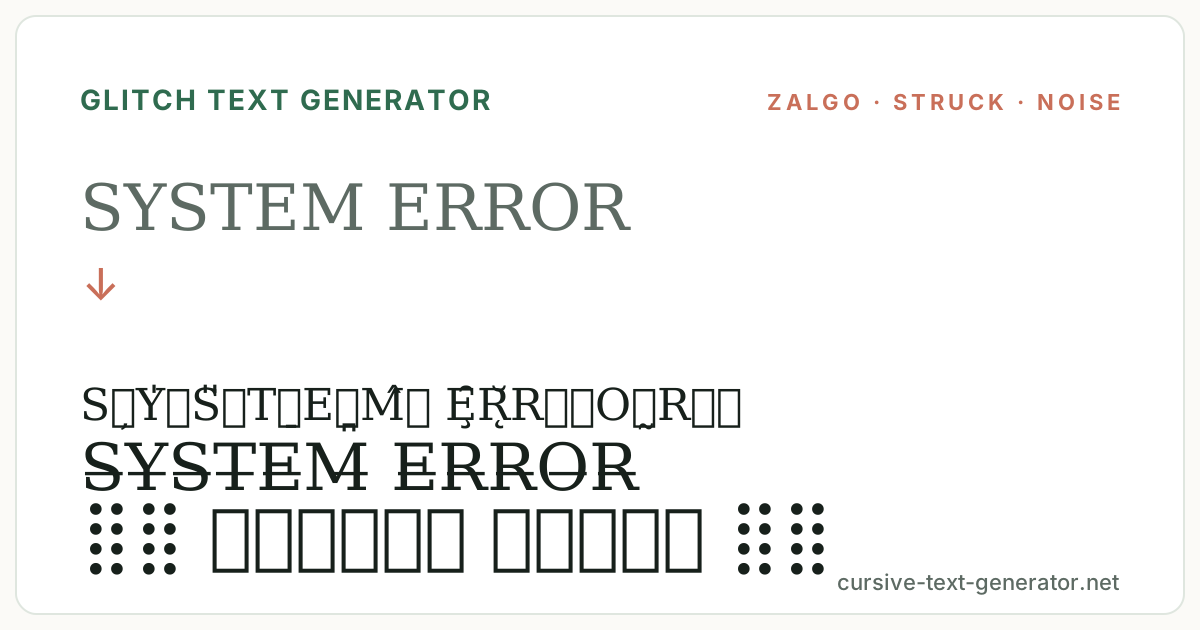
How to Use the Glitch Text Generator
- 1. Enter your textType up to 60 characters. Short strings glitch more legibly and paste more reliably.
- 2. Set the glitch levelUse the Light, Medium and Heavy chips to control how many combining marks are stacked on each character.
- 3. Copy and pastePress Copy and paste the corrupted text into Discord, a caption, a username or a post.
Where Glitch Text Works Best
Glitch text suits gaming profiles, cyberpunk and vaporwave posts, Discord names and status lines, horror and ARG accounts, and social posts that want to look like something went wrong. Light glitch is safe almost anywhere. Heavy glitch is best kept to a single line, because tall stacks of marks overlap the lines above and below in most chat apps.
Good to know: some apps strip or normalise combining marks, and a few reject heavily glitched text in username fields. Light and medium levels paste successfully in far more places than heavy.
How the Glitch Levels Work
Light adds one mark above and one below each character, so words stay readable and paste almost anywhere. Medium raises that to two above, one through and two below, which is the point where text starts to look genuinely damaged. Heavy uses four above, two through and four below — ten marks per character, which is the hard ceiling this tool enforces. Input is capped at 80 transformed characters and the box accepts 60, because uncapped zalgo generators are the ones that freeze phones. Every result is regenerated randomly, so pressing a key gives you a fresh variation of the same intensity.
Glitch, Zalgo and Corrupted Text
Zalgo text works because Unicode lets an unlimited number of combining marks attach to a single base character. Those marks were designed for languages that stack accents, but nothing stops you from stacking forty of them, and the result spills vertically out of its line. That overflow is the entire visual effect, and it is also why unrestricted zalgo has a reputation for breaking layouts and stalling browsers.
This generator deliberately caps the stack at ten marks per character. That is enough to read as clearly corrupted while staying responsive on a phone and predictable when pasted. If you have seen glitch tools that let you drag a slider into the thousands, the difference is not capability but restraint — the uncapped output tends to be rejected by chat apps, truncated by character limits, or slow enough to lock the tab that generated it.
Glitch Text Examples
Paste these into the generator and step through Light, Medium and Heavy to compare the intensity levels on the same string.
SYSTEM ERRORClassic glitch lineNO SIGNALStatus or bio lineACCESS DENIEDGaming profile textExplore the Alternative Font Cluster
Glitch Text FAQ
What is glitch text?
Glitch text is ordinary text with combining marks stacked over, through and under each character so it looks corrupted or damaged, as if the rendering had failed.
What is Zalgo text?
Zalgo is the best-known form of glitch text. It stacks large numbers of combining diacritical marks on each letter until the text spills out of its line, named after an internet horror meme.
How does a glitch text generator work?
It keeps your original letters and appends randomly chosen combining marks to each one. The marks render on top of the base character instead of beside it, which produces the overflowing effect.
Why does glitch text use combining characters?
Combining characters exist so writing systems can attach accents to letters. Because Unicode does not limit how many can attach to one character, they can be stacked far beyond their intended purpose.
Can glitch text break layouts?
Heavily stacked zalgo can overlap neighbouring lines and, in extreme cases, slow down rendering. This tool caps the stack at ten marks per character and limits input length specifically to avoid that.
Can I control glitch intensity?
Yes. The Light, Medium and Heavy chips above the results set how many marks are added per character, from two at Light up to ten at Heavy.
Does glitch text work on Discord and Instagram?
Light and medium glitch generally paste fine into messages, bios and display names. Heavy glitch is sometimes stripped or rejected, particularly in username fields.
Why does the result change every time I type?
The marks are chosen at random, so each keystroke regenerates a new variation at the same intensity. Copy the version you like before editing the text further.