Professional Email Usernames
First.last, first-initial-last, name plus work — the formats recruiters expect. Type your surname to get real ones.
Professional, personal, brand, creative and anonymous email address ideas from your name
This email username generator builds the part before the @ around your name or a word — professional, personal, brand, creative or anonymous email usernames — and keeps every result inside Gmail's 6–30 character rule. Pick a style, generate 24 email usernames at a time, heart the ones you like and copy them into the sign-up form.
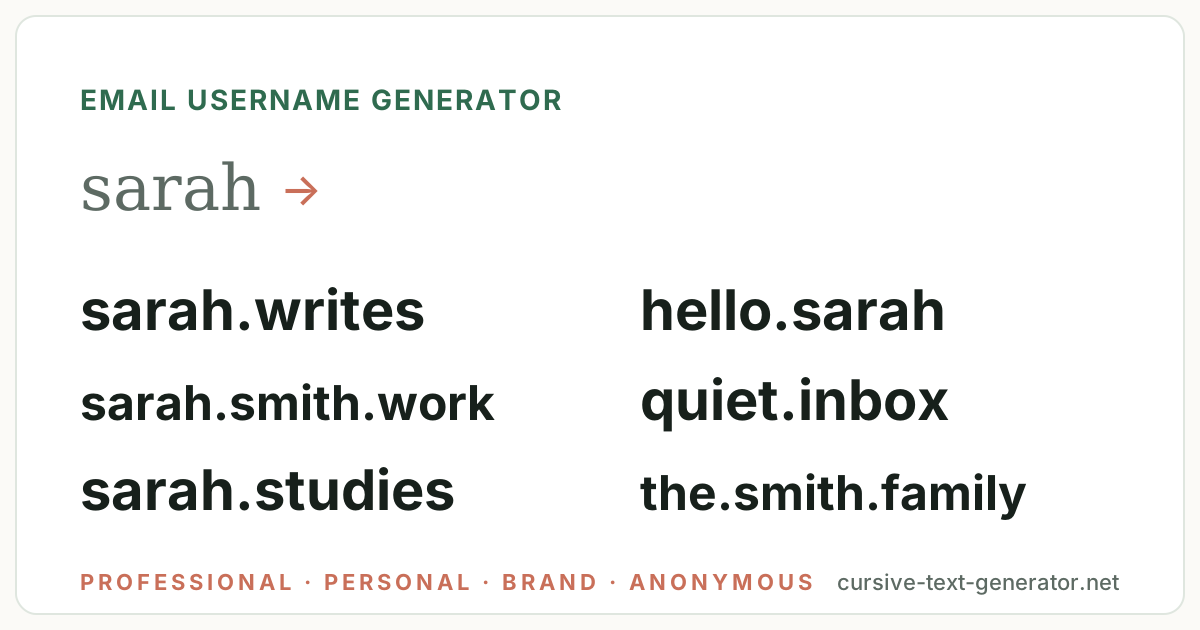
Sample ideas for “sarah” · All styles — type your own word and generate.
No results match this filter yet — try Generate More or pick a different filter.
Username availability changes constantly. Copy your favorite and check it directly on the platform you want to use — this tool does not check Instagram, TikTok, Discord, Roblox or any other service.
The best email username is the one that matches your Instagram, X and Discord handles. Generate the address here, then check the same name as a username.
Tap the ♡ on any username to save it here. Favorites stay in this browser only — no account needed.
Every batch mixes three things: the word you type, the address style you choose, and the options under Customize. Symbols are off, the separator is a period and letters are lowercase by default — the way Gmail, Outlook and iCloud addresses work — and every result is capped at 30 characters.
Type your first name for a personal address, your surname or a first+last combination for a professional one, or your brand for a business address. Leave the box blank and the generator pairs two words instead — quiet.inbox, paper.letters — for newsletter and sign-up aliases.
First name for personal, surname or first.last for professional, brand name for business. The generator keeps it whole: sarah becomes sarah.writes, hello.sarah or sarah.smith.work.
Professional, personal, brand & business, creative, anonymous, minimal, student & academic or family & household. Each has its own vocabulary; All Styles mixes them.
Keep Gmail-safe on, heart the ones you like, then paste the result before the @ in the sign-up form — Gmail and Outlook check availability as you type.
Hand-picked email username examples per style so you can see the vocabulary before you generate. Click any email username to copy it.
First.last, first-initial-last, name plus work — the formats recruiters expect. Type your surname to get real ones.
Hello, hi, just, me — friendly addresses for everyday mail.
Hello, contact, team, studio — addresses for a shop, an agency or a side business.
Writer, maker, ink, pages — addresses for portfolios, newsletters and Substacks.
Inbox, alias, burner, relay — addresses for sign-ups, newsletters and one-off accounts that say nothing about you.
One quiet word plus a period — the addresses that look most like a real person. The rare username generator has more uncommon words.
Studies, research, lab, thesis — addresses for university work and applications.
The, our, family, house — shared addresses for bills, school and the group chat.
Each provider has slightly different rules for the part before the @. These shortcuts generate ideas that fit each one.
6–30 characters, letters, numbers and periods; periods are ignored (sarah.smith and sarahsmith are the same inbox), no underscores or hyphens. Cannot be changed once created.
sarah.writes · hello.sarah · sarahsmith.workOutlook and Hotmail allow letters, numbers, periods, underscores and hyphens, up to 64 characters. Underscore-joined professional addresses work here.
sarah_smith · sarah.smith.work · s-smithiCloud allows 3–20 characters with periods and underscores; Proton allows letters, numbers, periods, underscores and hyphens. Short minimal addresses fit both.
sarah.mail · sarah.ink · just.sarahA second address for sign-ups should carry nothing personal. Leave the box blank and pick Anonymous for two-word aliases.
quiet.inbox · grey.alias · north.relayThe generator follows a handful of formulas — the ones recruiters, friends and spam filters are used to. Knowing them helps you tweak a result or build your own address by hand.
For anything you will put on a CV, the address should be your name and nothing else: sarah.smith or s.smith, never sarahxo2004. Keep the fun ones for personal mail — and remember a Gmail address can never be changed, only abandoned.
There is no AI behind this page and no connection to Gmail, Outlook or any provider. Email usernames are assembled in your browser from five ingredients:
Gmail usernames are 6 to 30 characters of letters, numbers and periods — and Gmail ignores periods, so sarah.smith, sarahsmith and s.a.r.a.h.smith all deliver to the same inbox and count as the same username when you sign up. Underscores and hyphens are not allowed. Outlook and Hotmail allow letters, numbers, periods, underscores and hyphens up to 64 characters; iCloud allows 3 to 20 with periods and underscores; Proton allows letters, numbers, periods, underscores and hyphens. None of them let you rename an existing address — you can only create a new one and forward the old — which is why an email username generator is worth using before you sign up rather than after.
The unwritten rule is about audience. A professional address is your name and nothing else (sarah.smith, s.smith); adding a nickname, a birth year or a hobby costs credibility on a CV and leaks personal data to every list the address ends up on. A personal address can carry a word; an alias for sign-ups should carry nothing. This page keeps those three apart as separate styles. If you want the same name across social platforms, the main username generator and the Instagram username generator check the same handle formats; for a private alias that also works as a Reddit account, the Reddit username generator shares the two-word anonymous pattern; and for the shortest possible address, the short username generator keeps everything under eight characters.
Gmail's character rules and the fact that periods are ignored are documented in Google's help article on Gmail usernames.
It is a tool that combines your name, surname or brand with curated vocabulary — professional, personal, brand, creative, anonymous, minimal, student and family words — and address patterns to produce ideas for the part before the @ that follow Gmail's and Outlook's rules. This one runs in your browser, is free, and lets you copy any result with one click.
Examples from the styles above: sarah.smith, hello.sarah, sarah.studio, sarah.writes, quiet.inbox, sarah.mail, sarah.studies and the.smith.family. Type your first name for a personal address or your surname for a professional one; leave the box blank for two-word aliases.
Your name and nothing else: first.last (sarah.smith), initial plus last (s.smith) or last.first if those are taken. No nicknames, hobbies or birth years. Pick the Professional style above and type your surname to get real options.
Letters, numbers and periods, 6 to 30 characters — and periods are ignored, so sarah.smith and sarahsmith are the same address. No underscores, hyphens, spaces or symbols. Outlook and Proton also allow underscores and hyphens.
No provider lets you rename an existing address. You can create a new one and forward or import the old mail, but the old address stays. That is why it is worth generating several options and checking them on the sign-up form before you commit.
No. Nothing here talks to Gmail, Outlook or any provider, so it cannot know whether an address is taken. Copy the one you like into the sign-up form; Gmail and Outlook show immediately whether it is available and suggest alternatives if not.
Two plain words with nothing personal — quiet.inbox, grey.alias, north.relay — for sign-ups, newsletters and one-off accounts. Leave the word box blank and pick Anonymous; never add your name, birth year or city to an alias.
Yes. Every result has a Copy button, Copy All Usernames copies the visible list one per line, and the heart saves an address to My Favorites in your browser. Paste the result before the @ in the sign-up form.