Gaming YouTube Channel Names
Plays, arcade, respawn, lobby — names for Let's Plays, speedruns and cozy game channels. The gaming username generator covers the matching gamertag.
Channel name and @handle ideas for gaming, vlog, tech, music, kids and faceless channels
This YouTube channel name generator builds channel names and @handles around your name or your niche — gaming, vlogs, tech reviews, music, kids content, faceless channels, education and shorts. Pick a channel style, generate 24 YouTube channel names at a time, keep them inside YouTube's 3–30 character handle rule, heart the ones you like and copy them into YouTube Studio.
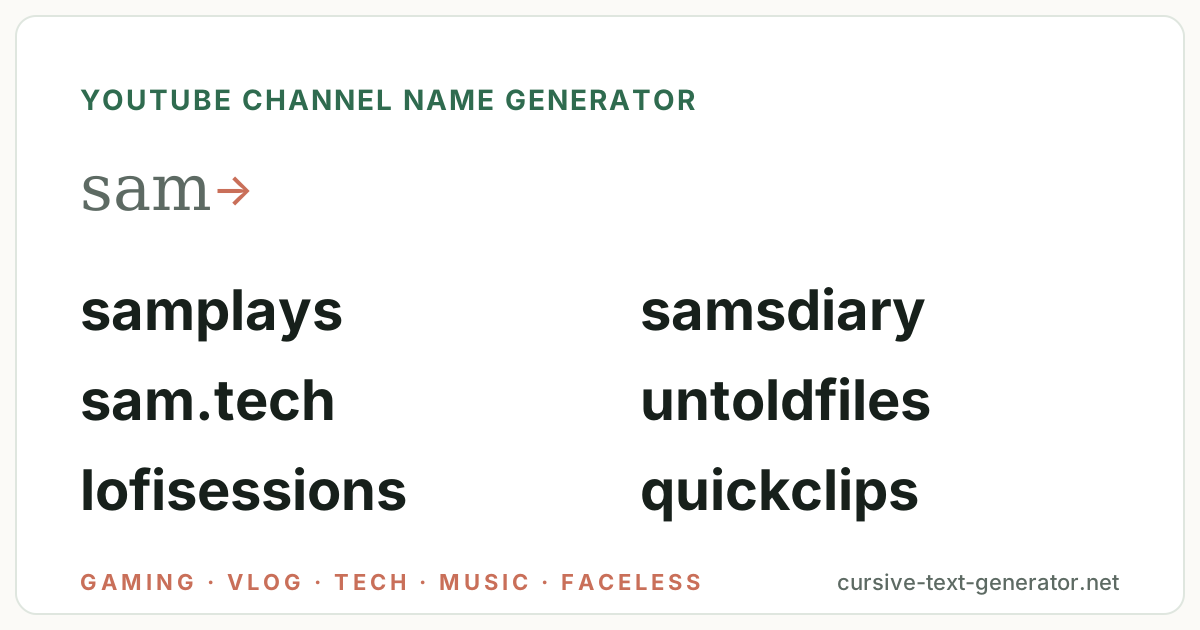
Sample ideas for “sam” · All styles — type your own word and generate.
No results match this filter yet — try Generate More or pick a different filter.
Username availability changes constantly. Copy your favorite and check it directly on the platform you want to use — this tool does not check Instagram, TikTok, Discord, Roblox or any other service.
Handles must be plain — but the channel name itself accepts Unicode. Copy a name here, then style the display version for your banner and about page.
Tap the ♡ on any username to save it here. Favorites stay in this browser only — no account needed.
Every batch mixes three things: the word you type, the channel style you choose, and the options under Customize. Symbols are off by default because YouTube @handles reject them; the channel name field is more forgiving, so switch symbols on for display-name ideas.
Leave the word blank and the generator pairs two niche words instead — pixelplays, untoldfiles, lofisessions — which is usually the better option for a faceless or topic channel that should not be tied to a person.
Your name for a personal channel, or a topic word — cozy, pixel, budget — for a niche channel. The generator keeps it whole: sam becomes samplays, samsdiary or sam.tech.
Gaming, vlog, tech & reviews, music, kids & family, faceless, education or shorts. Each has its own vocabulary; All Styles mixes them.
Use Handle-safe to hide symbols, heart the ones you like, then copy into YouTube Studio → Customization → Basic info and check the handle there.
Hand-picked examples per channel style so you can see the vocabulary before you generate. Personal channels work best built on a name; faceless and topic channels work best as two niche words. Click any channel name to copy it.
Plays, arcade, respawn, lobby — names for Let's Plays, speedruns and cozy game channels. The gaming username generator covers the matching gamertag.
Diary, days, moments, chronicles — names for daily-life and travel vlogs.
Lab, bytes, unboxed, teardown — names for reviews, builds and gadget channels.
Beats, sessions, covers, tapes — names for lofi, covers and producer channels.
Playtime, toybox, storytime, buddies — bright names for family and kids content.
Files, explained, archive, mysteries — names for narration, history and documentary channels with no face on camera.
Academy, lessons, basics, tutorials — names for how-to and study channels.
Clips, bits, cuts, drops — names for shorts-first and compilation channels.
YouTube gives every channel two names with different rules. These shortcuts generate ideas that fit each one.
3–30 characters: letters, numbers, periods, underscores and hyphens, unique across YouTube. This is your youtube.com/@name URL. Change it twice every 14 days.
@samplays · @sam.tech · @untoldfilesUp to 100 characters, spaces and most Unicode allowed, does not have to be unique. This is the bold name on your banner and under every video.
Sam Plays · Untold Files ✦ · Lofi SessionsTopic channels should not depend on a person. Leave the word blank and pick Faceless, Education or Music for two-word names that could belong to a team.
hiddenhistory · quietarchive · simpleacademyTikTok allows 24 characters and Twitch 25, with the same letters-numbers-underscore rules, so a short YouTube handle usually works on both. Check all three before you commit.
samplays · quickclips · samshortsThe generator follows a handful of formulas — the ones behind most successful channel names. Knowing them helps you tweak a result or build your own.
One rule matters more on YouTube than anywhere else: the name has to be said out loud at the start of every video and searched by people who heard it once. samplays passes; xX_S4m_Pl4yz_Xx does not. Keep it under three words, spell it the way it sounds, and check the @handle is free before you print a logo.
There is no AI behind this page and no connection to YouTube. Channel names are assembled in your browser from five ingredients:
Every YouTube channel has a channel name — up to 100 characters, spaces and Unicode allowed, shown on your banner and under every video, and not required to be unique — and an @handle — 3 to 30 characters of letters, numbers, periods, underscores and hyphens, unique across YouTube, forming your youtube.com/@handle URL. Both are changed in YouTube Studio → Customization → Basic info. YouTube lets you change the channel name and the handle twice every 14 days, and a changed name may take a few days to update across the site, so test options here before you commit.
The practical rule this YouTube channel name generator follows: generate a handle-safe name first (plain, under 30 characters, sayable), check the @handle in Studio, then style the display version with spaces and capitals — samplays as the handle, Sam Plays as the channel name. If your channel also streams, the Twitch username generator shares nearly the same character rules with a 25-character cap; for a gamertag that matches the channel, use the gamertag generator; and for a handle across TikTok and Instagram too, the TikTok username generator and the main username generator cover those platforms' rules.
Handle character rules and the change limits are documented in YouTube's help article on handles.
It is a tool that combines your name or niche with curated vocabulary — gaming, vlog, tech, music, kids, faceless, education and shorts — and channel naming patterns to produce channel name and @handle ideas that follow YouTube's rules. This one runs in your browser, is free, and lets you copy any result with one click.
Examples from the styles above: samplays, samsdiary, techbytes, lofisessions, happyplaytime, untoldfiles, simpleacademy and quickclips. Type your own name for a personal channel, or leave the box blank for two-word names that suit a faceless or topic channel.
The channel name is the display name — up to 100 characters, spaces allowed, not unique. The @handle is 3–30 characters of letters, numbers, periods, underscores and hyphens, unique across YouTube, and forms your youtube.com/@handle URL. This generator produces handle-safe names you can use for both.
Open YouTube Studio → Customization → Basic info, edit the channel name or the handle, and click Publish. You can change each twice every 14 days. If the handle you want is taken, YouTube says so as you type.
No. Nothing here talks to YouTube, so it cannot know whether a handle is taken. Copy the one you like into YouTube Studio; it shows a tick or a warning immediately, before you publish.
Two niche words with no person in them — untoldfiles, hiddenhistory, quietarchive — so the channel can grow past one narrator and be sold or handed off. Leave the word box blank and pick Faceless, Education or Music to generate that kind.
For a topic channel, yes — techbytes or lofisessions tells viewers what to expect from the search result alone. For a personal channel where you may change topics, keep the name personal (samplays, samsdiary) and put the niche in the description.
Yes. Every result has a Copy button, Copy All Usernames copies the visible list one per line, and the heart saves a name to My Favorites in your browser. Paste the plain one into the @handle field and a spaced, capitalised one into the channel name.