Chunky pixel letters, coin gold and 3D outlines
Mario Font Generator
Type a word and watch it turn into chunky, outlined pixel letters in the colours of a classic side-scroller. Choose a pixel size, set your own text and background colours, then download a transparent or coloured PNG. Everything renders in your browser — nothing is uploaded and no font is installed.
Free · no sign-up · renders in your browser · nothing is uploaded
What the Mario Font Generator Does
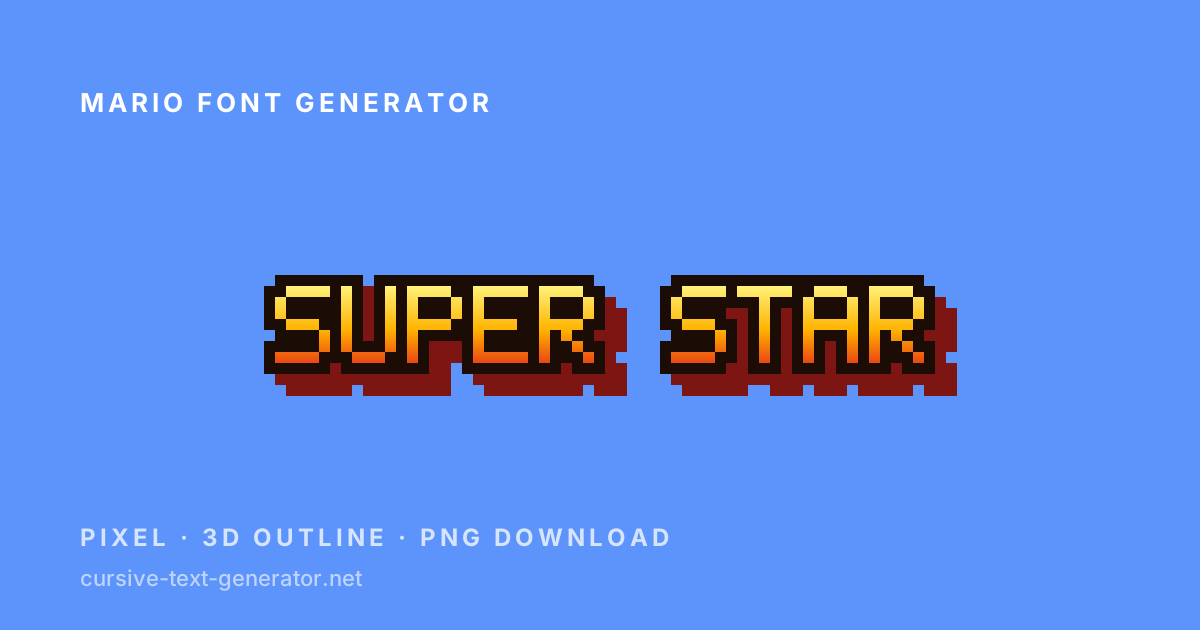
This is a pixel text renderer, not a Unicode converter. Instead of swapping your letters for lookalike characters, it draws each letter from a bitmap grid and paints it: a warm gold-to-red gradient, a hard black outline, a stepped 3D edge falling down and to the right, and a sky-blue field behind it. That combination — heavy outline, gradient fill, visible depth — is what makes a word read as an early-nineties platform game rather than as ordinary bold text.
Because the letters are drawn rather than substituted, the tool can give you controls that a copy-and-paste generator cannot. The pixel size slider changes how coarse the blocks look, from a fine 3× grid up to a 14× chunk that shows every square. The colour pickers replace the preset palette on every style at once, so you can take the 3D treatment and put it in your own team colours. The transparent background option drops the backdrop entirely and hands you a PNG with a clean alpha channel, ready to drop onto a thumbnail, a stream overlay or a birthday invitation.
The trade-off is honest and worth stating up front: a rendered image is an image. It cannot be pasted into an Instagram bio or a Discord username the way the Unicode tools elsewhere on this site can. What travels as text is the block art output, described further down.
How to Use the Mario Font Generator
- 1. Type your textReplace the sample with a name, a level title or a short phrase. Short entries look best — the pixel grid is deliberately coarse, so four to twelve characters read most clearly.
- 2. Set the pixel sizeDrag the slider left for finer, denser blocks or right for heavy chunks. Larger sizes produce a bigger PNG, which is what you want for print or a video thumbnail.
- 3. Recolour it if you likeTick Custom colours to override every preset with your own text and background. Tick Transparent background to export with no backdrop at all.
- 4. Download or copyDownload PNG saves the exact image you see. Copy text art copies the same letters as block characters you can paste into a chat message.
Pixel Styles on This Page
Twelve presets share one alphabet and differ only in how it is painted. Use the filter chips to narrow them down, then adjust size and colour on whichever one is closest to what you want.
- Classic Plumber — Gold-to-red gradient, black outline and a two-step 3D edge on sky blue. The default, and the closest to a classic platformer title card.
- Question Block — Cream letters with a brown outline over a chequered amber field, echoing a coin block.
- Coin Rush — Bright gold gradient with a deep outline and a flat drop shadow on midnight blue — good for scores and numbers.
- Fire Flower — Orange-to-crimson letters ringed in white with a warm glow behind them.
- Power Star — White-to-yellow letters on a pale grid background, the lightest style here and the easiest to print.
- Warp Pipe — Green gradient with a dark outline and a single depth step on near-black.
- 1-Up Green — Flat white letters on solid green — the simplest, most legible option at small pixel sizes.
- Brick Wall — Dark brown letters with a light top-shadow over a chequered brick field.
- Lava 8-Bit — Yellow-to-red gradient on a near-black ground, leaning arcade rather than console.
- Arcade Neon — Magenta-to-cyan gradient with a violet glow, for a cabinet-marquee look.
- Paper Print — Black on off-white. Use this one for worksheets, party signs and anything going to a printer.
- Transparent PNG — Dark letters, no background at all. The style to pick when you are compositing onto your own artwork.
Copy, Download and What Actually Transfers
Each style gives you two outputs, and they behave very differently. Download PNG saves the canvas exactly as drawn, at the pixel size you selected, with a transparent background if you asked for one. This is the output to use for thumbnails, overlays, invitations, printed signs and anything you will place in a design tool.
Copy text art is the output that survives the clipboard. It rebuilds your word out of solid block characters — the same bitmap, one character per pixel — so it pastes into Discord, a chat message, a README or a code block as real text. Wrap it in a code block wherever one is available: block art depends on every row lining up, and a proportional font will skew it. Keep these short, because each letter is five characters wide and eight lines tall, and a long phrase quickly becomes too wide for a phone screen.
If what you actually want is styled text for an Instagram bio or a username field, a pixel renderer is the wrong tool and no image-based generator will do it. Unicode has no pixel-font alphabet to map onto, so the honest answer is to use the block art for chat, and one of the Unicode generators linked below for profile fields.
Good to know: the pixel alphabet covers A–Z, a–z, 0–9 and common punctuation. Accented letters, emoji and non-Latin scripts have no bitmap and render as blank space rather than as a box.
Making a Mario-Style Title Card or Thumbnail
The look people are usually after is a title card: a short phrase in heavy pixel letters, outlined so it survives being scaled down. Three settings do most of the work. Keep the phrase to two or three words, because the outline and 3D edge add roughly two pixels of bulk on every side and a long line loses its punch. Push the pixel size to 10× or higher, which gives you a PNG wide enough to sit in a 1280×720 thumbnail without resampling. And pick a style whose outline contrasts with wherever the image is going — the black outline of Classic Plumber holds up on almost any background, which is exactly why arcade artwork used it.
For a party sign or a worksheet, invert that advice. Paper Print at a 5× or 6× pixel size gives crisp dark letters on white that a home printer handles cleanly, with no heavy ink coverage. If you are compositing over your own background art, use Transparent PNG, then apply your own colour in the design tool — the letters export as flat shapes with a clean alpha edge, so a colour overlay or a gradient fill behaves predictably.
One practical note about scaling: the PNG is drawn at exactly the size shown, so enlarging it afterwards in an editor will blur the pixel edges unless you use a nearest-neighbour or “preserve hard edges” resample. It is easier to raise the pixel size here and export bigger than to scale up later.
Where People Use Pixel Text Like This
The common uses are video thumbnails and stream overlays, Discord server banners and channel headers, retro-themed birthday invitations and party signs, itch.io and game-jam page art, fan art captions, and mock-ups for pixel-art projects that need placeholder lettering. Teachers use the Paper Print style for classroom number lines and name cards, where the blocky grid is easy for young children to copy.
The block art output has its own niche. It works well as a Discord announcement header, an ASCII-style banner at the top of a README, a terminal splash screen, or a message that needs to look loud without being an image attachment. Because it is plain text, it also survives places that strip images entirely.
Mario Font Examples to Try
Paste any of these into the box above to see how the presets handle short titles, numbers and mixed case.
SUPER STARTitle card, two wordsLEVEL 1-1Numbers and punctuationGAME OVERClassic screen text1 UPVery short, very largeWorld RecordMixed case, no all-capsPLAYER 2Stream overlay labelIs This the Real Mario Font?
No, and no online generator has it. The Super Mario logo is a custom hand-drawn wordmark owned by Nintendo, not a typeface anyone can license or install, and the in-game text across the series uses several different bitmap and vector fonts that were never released publicly. The “Mario fonts” you find on download sites are fan recreations of varying quality and unclear licensing, which is why this page does not host or link to one.
Nothing on this page is a copy of a commercial or fan-made game font. The letters you see are an original 5×8 bitmap alphabet drawn for this site, painted with colours, outlines and drop shadows chosen to evoke the era rather than to reproduce any studio’s artwork. No font file is downloaded to your device, and none is redistributed from ours.
That distinction matters if you plan to publish what you make. A PNG of your own words in a generic pixel alphabet is yours to use. A game’s actual logo, wordmark, character art or trademarked name is not, and running those words through a pixel generator does not change that. Fan art, personal profiles, private servers and mock-ups are the normal home for this kind of image; merchandise, thumbnails monetised off a franchise, and anything implying an official connection are where rights holders object.
Related Generators
Mario Font Generator FAQ
Is there a real Mario font I can download?
Not an official one. The Super Mario logo is a custom wordmark rather than a released typeface, and the in-game fonts were never published. Files sold or shared as “Mario font” are fan recreations with unclear licensing, so this page renders an original pixel alphabet instead.
Can I copy and paste the Mario font?
The PNG is an image, so it cannot be pasted into a bio or username field. The Copy text art button gives you the same letters built from block characters, which does paste as real text — use a code block so the rows stay aligned.
How do I download my pixel text as a PNG?
Press Download PNG under any style. The file saves at exactly the pixel size shown on screen, so raise the slider before downloading if you need a larger image.
Can I make the background transparent?
Yes. Tick “Transparent background” and every style exports with a clean alpha channel, ready to composite onto your own artwork. The chequerboard behind the preview shows where the transparency is.
Can I change the colours?
Tick “Custom colours” and pick a text and background colour. Your choice overrides every preset at once, so you keep the outline and 3D treatment while changing the palette.
Does it work with numbers and punctuation?
Yes — the bitmap alphabet covers A–Z, a–z, 0–9 and common punctuation such as . , ! ? - and #. Accented characters, emoji and non-Latin scripts are not drawn and appear as blank space.
Can I use the images commercially?
The alphabet is original and the image of your own words is yours to use. What you may not do is use a franchise’s name, logo or characters commercially — that restriction comes from trademark and copyright law, not from this tool.
Is the Mario font generator free?
Yes. It runs entirely in your browser, needs no account, has no watermark and no usage limit.