Cool Discord Usernames
Frost, vortex, apex, nova — sharp lowercase handles that look good in a member list. The cool username generator has eight edgier styles.
Cool, funny, aesthetic, gamer and anonymous Discord names — handle and display name
This Discord username generator builds names that pass Discord's username rules — lowercase letters, numbers, periods and underscores, 2 to 32 characters, no symbols — and a matching display name where the ✦ and fancy letters can go. Pick a style, generate 24 Discord usernames at a time, filter by length, heart the ones you like and copy them into Settings → My Account.
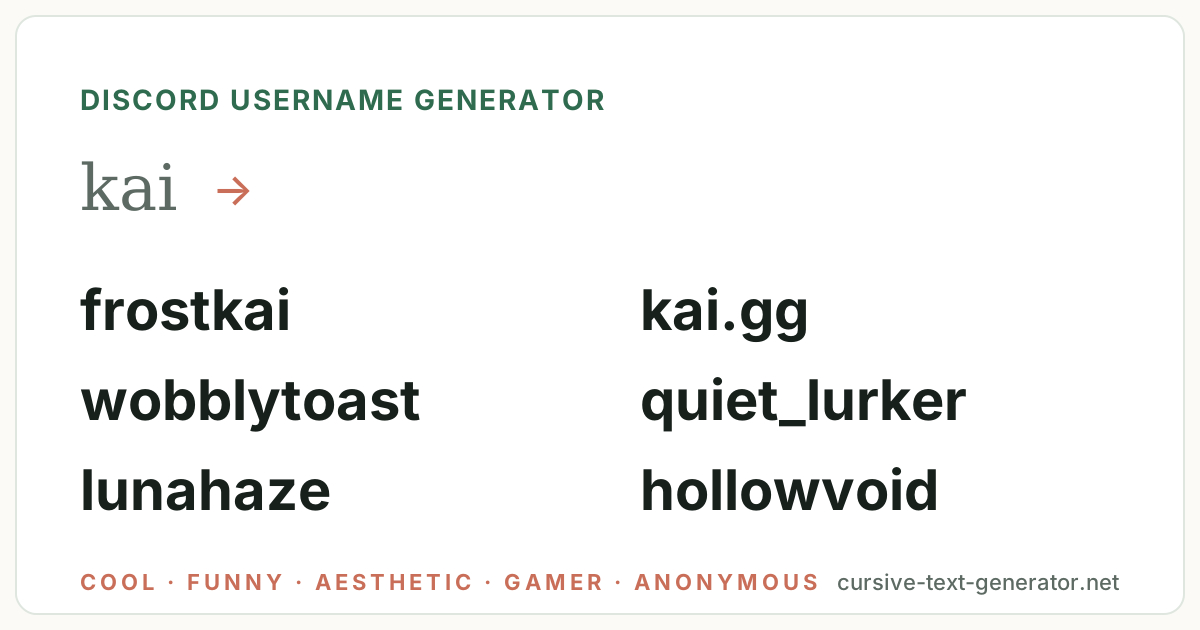
Sample ideas for “kai” · All styles — type your own word and generate.
No results match this filter yet — try Generate More or pick a different filter.
Username availability changes constantly. Copy your favorite and check it directly on the platform you want to use — this tool does not check Instagram, TikTok, Discord, Roblox or any other service.
Your Discord username has to be plain — but the display name accepts fancy Unicode letters. Copy a username here, then style the display name.
Tap the ♡ on any username to save it here. Favorites stay in this browser only — no account needed.
Every batch mixes three things: the word you type, the Discord style you choose, and the options under Customize. Lowercase and no symbols are on by default because Discord's unique username rejects everything else; switch to the Display name filter for ideas with ✦ and ☾ that go in the separate display-name field.
Leave the word blank and the generator pairs two words instead — silentvortex, quiet_lurker, cozy.lounge — so it also works as a random Discord name generator for alts and servers.
Your name, a nickname, a game you play. The generator keeps it whole and builds around it: kai becomes frostkai, kai.gg or kai_lurks.
Cool, funny, aesthetic, gamer, anonymous, cute, dark or server names. Each has its own vocabulary and its own symbol set; All Styles mixes them.
Use Discord-safe to hide symbols, heart the ones you like, then copy and paste into Settings → My Account → Username to check availability.
Hand-picked examples per style so you can see the vocabulary before you generate. Cool and gamer names dominate gaming servers; funny and anonymous names are what most people actually use; aesthetic and cute suit art and study servers — but every style here works anywhere. Click any Discord name to copy it.
Frost, vortex, apex, nova — sharp lowercase handles that look good in a member list. The cool username generator has eight edgier styles.
Toast, goose, potato, walrus — the names everyone in voice chat remembers.
Soft, dreamy, lowercase — moons, clouds, velvet and haze, for study and art servers. The aesthetic username generator goes deeper.
Sniper, reaper, glitch, blitz — gamertags that match your Steam and console names. See the gaming username generator.
Lurker, npc, bystander, alt — names that say nothing about you, for servers where you only read.
Bunny, mochi, frog, boba — sweet handles for cozy servers. More on the cute username generator.
Void, wraith, omen, plague — moody handles for late-night servers. The emo username generator goes darker.
Lounge, hangout, tavern, campfire — names for the server itself rather than a member.
Discord gives you three names. These shortcuts generate ideas that fit each one.
2–32 characters, lowercase letters, numbers, periods and underscores only; unique across all of Discord since the #tags went away. Change it at most every two hours.
frostkai · kai.gg · quiet_lurkerUp to 32 characters, any case, spaces, emoji and Unicode symbols — this is where ✦, ☾ and fancy letters belong. Generate with symbols on, then style it with a font tool.
✦ Kai ✦ · 𝓀𝒶𝒾 ☾ · Frost KaiEach server can show you under a different nickname, set from your profile in that server. Match the server's theme — gamer in a gaming server, cute in a cozy one.
kai.plays · sleepy.kai · kai_lurksIf your Discord name should match Steam, Xbox or PSN, keep it short and plain — a name under 12 characters with no symbols works on every platform at once.
kaiblitz · pixelkai · ghostkaiThe generator follows a handful of formulas. Knowing them helps you tweak a result — or build your own Discord username by hand.
One trick per username. frostkai is a Discord username; xX_Fr0stK4i_Xx is a 2016 Skype contact. Keep the handle plain and put the ✦ in your display name, where every server sees it anyway.
These do not work in the unique username — but they do in your display name and server nicknames. Click a symbol to copy it.
Discord display names and nicknames show all of these; the unique username allows only lowercase letters, numbers, periods and underscores. For full decorative alphabets that render in Discord chat and names, use fonts for Discord.
There is no AI behind this page and no connection to Discord. Discord usernames are assembled in your browser from five ingredients:
Until 2023 every Discord account was Name#1234, so thousands of people could share a name. Discord then moved to unique usernames: 2 to 32 characters, lowercase letters, numbers, periods and underscores only, one owner per name across the whole platform. That is why short and common names are gone and why a good Discord username generator has to do more than list words — it has to build something around your word (frostkai, kai.gg) rather than hand you shadow and hope. At the same time Discord added a display name (any case, spaces, emoji, symbols, changeable any time) and kept per-server nicknames, so the plain handle is only what people type to add you; what they see is the display name.
The practical rule this page follows: generate a plain lowercase handle here, check it in Settings → My Account → Username (Discord shows a green tick or a red X instantly, and lets you change it again after two hours), then decorate only the display name. For the decorated part, fonts for Discord renders any name in bold, cursive or gothic Unicode that survives in chat. For gamertags that should match your Discord name across Xbox, PlayStation and Steam, the gamertag generator and the gaming username generator keep everything under the console limits; and the main username generator mixes every style in one tool.
The username rules and the change window are described in Discord's help article on usernames.
It is a tool that combines a word you choose with curated vocabulary — cool, funny, aesthetic, gamer, anonymous, cute, dark or server names — and naming patterns to produce Discord username ideas that fit the lowercase 2–32 character rules. This one runs in your browser, is free, and lets you copy any result with one click.
Examples from the styles above: frostvortex, wobblytoast, lunahaze, pixelknight, quiet_lurker, bunnypeach, hollowvoid and the cozy lounge. Type your own name to get versions built around it, such as frostkai or kai.gg.
Lowercase letters, numbers, periods and underscores, 2 to 32 characters. No capitals, spaces, symbols or emoji — those go in your display name, which accepts almost anything. Two periods in a row are not allowed either.
No. Nothing here talks to Discord, so it cannot know whether a username is taken. Copy the one you like into Settings → My Account → Username; Discord shows a green tick or a red X immediately, before you save.
Open User Settings → My Account, click Edit next to Username, type the new one and confirm with your password. Discord lets you change it again after two hours. Your display name can be changed any time without a cooldown.
Not in the unique username, but yes in your display name and in per-server nicknames. Generate a plain handle here, then use the Display name filter or fonts for Discord for the decorated version everyone actually sees.
Pick the Server Names style above — it pairs mood words (cozy, late night, lofi) with place words (lounge, tavern, campfire) for names like the cozy lounge or midnight arcade. Server names allow spaces and up to 100 characters, so you can leave separators off.
Yes. Every result has a Copy button, Copy All Usernames copies the visible list one per line, and the heart saves a name to My Favorites in your browser. Paste the plain one into the username field and a styled one into your display name.